An Integrated Design Environment for Flapping Flight
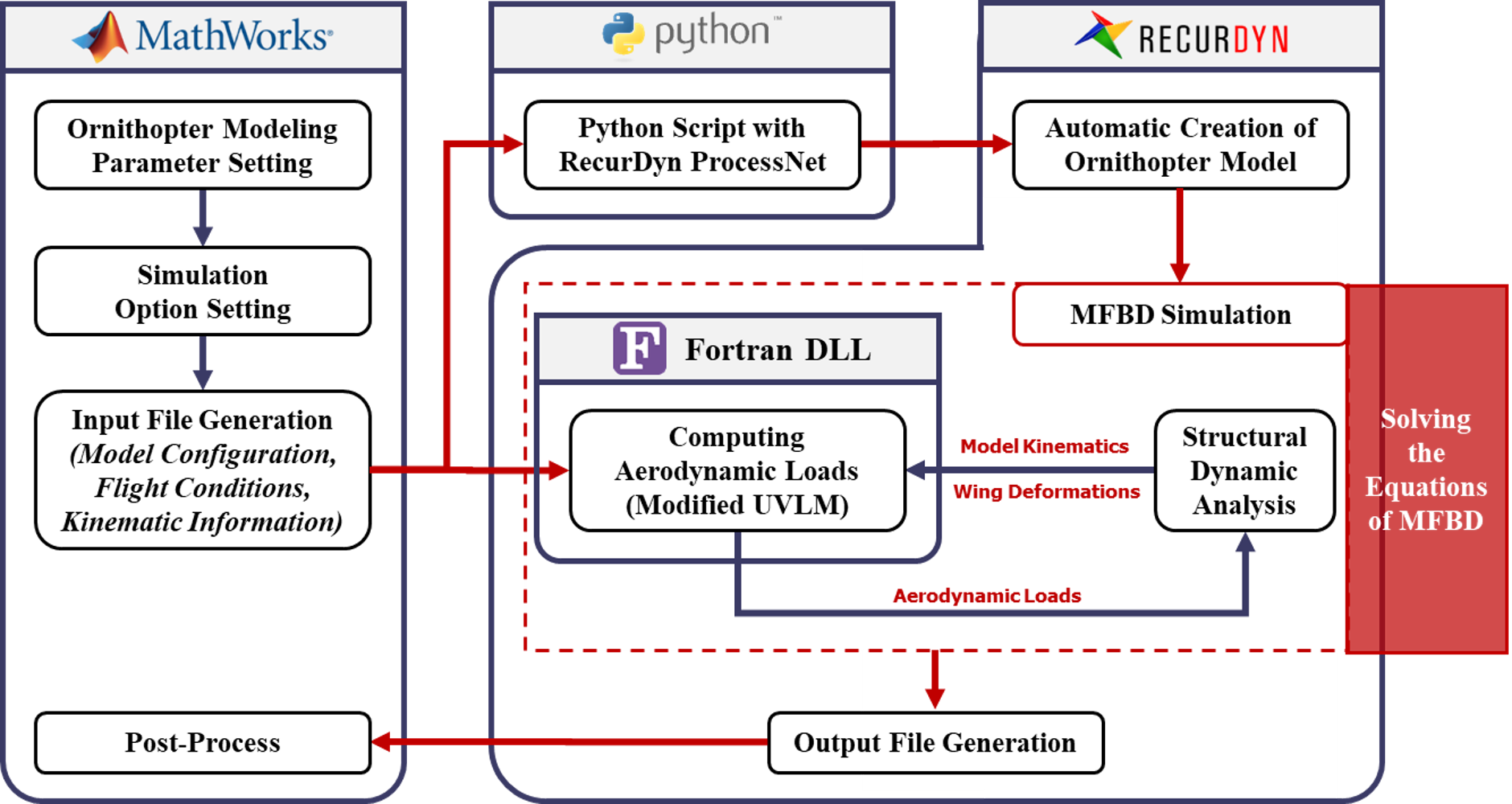
ORNISP combines model preparation, automatic RecurDyn model creation, aerodynamic simulation and post-processing for ornithopter design.
01 Model Data Management
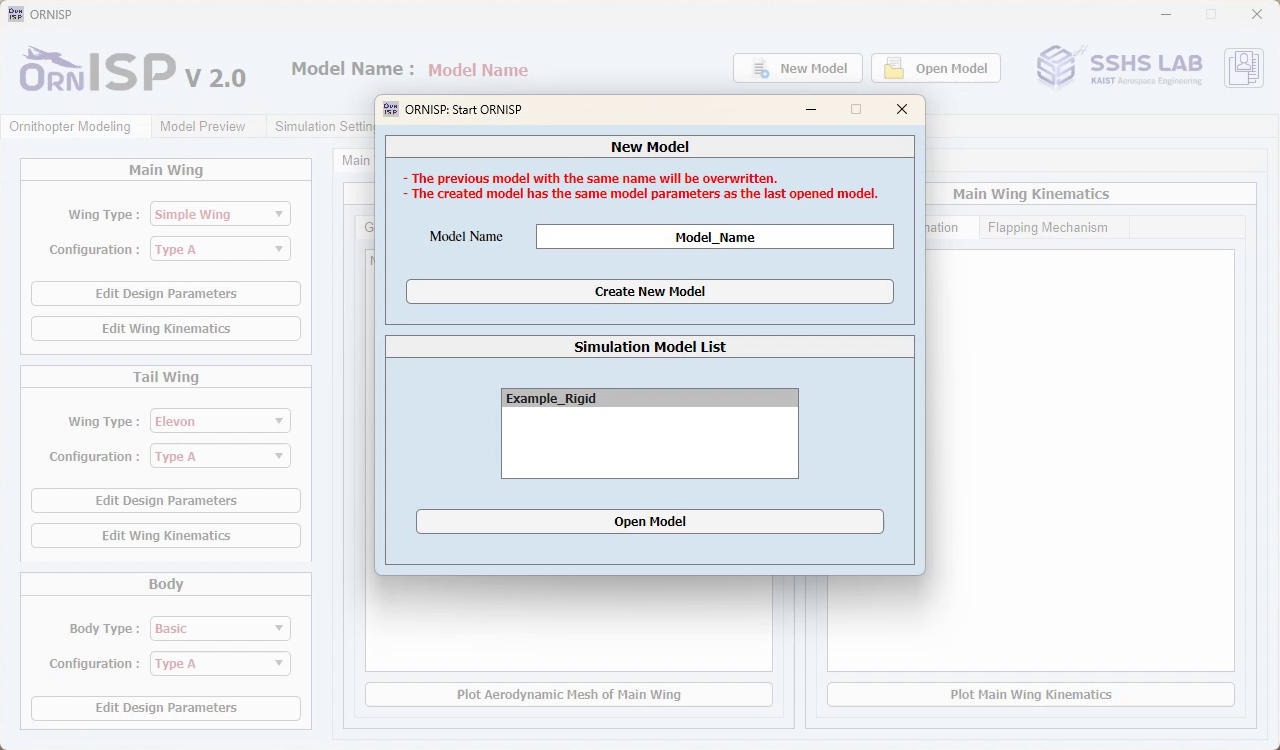
Create a new model or open an existing configuration.
02 Model Parameter Setting
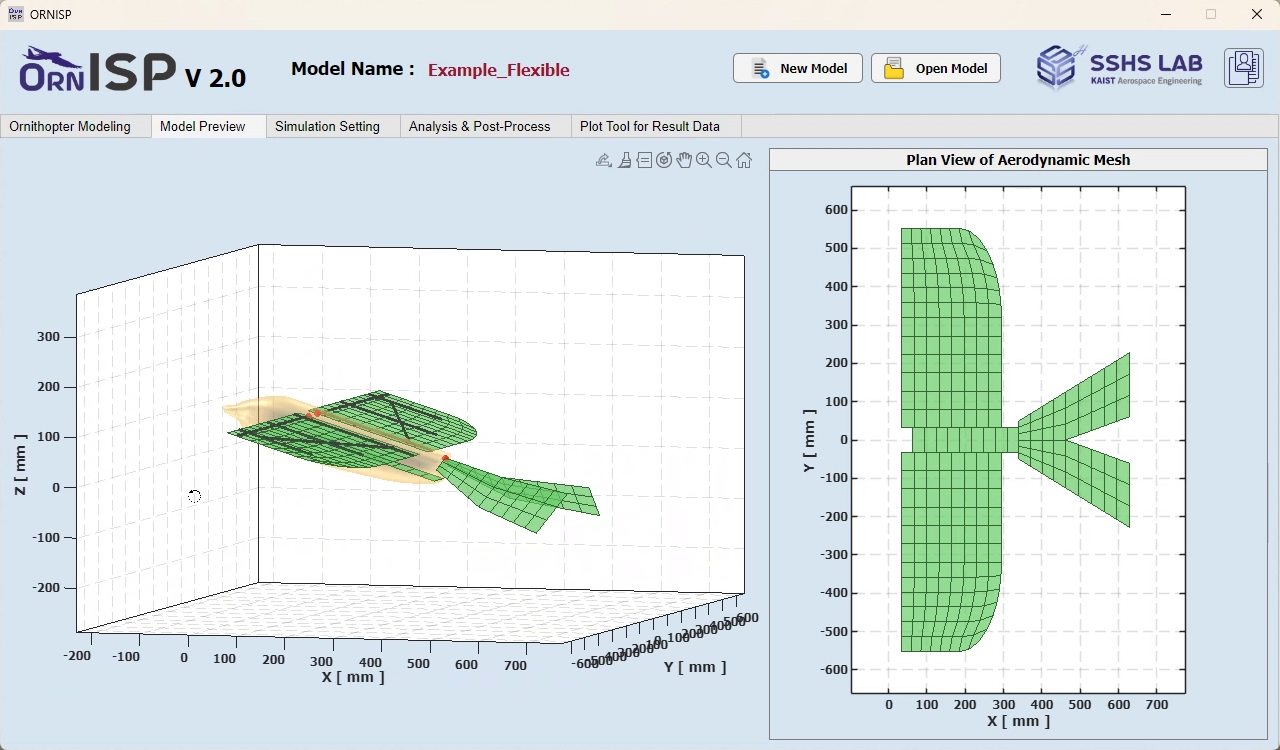
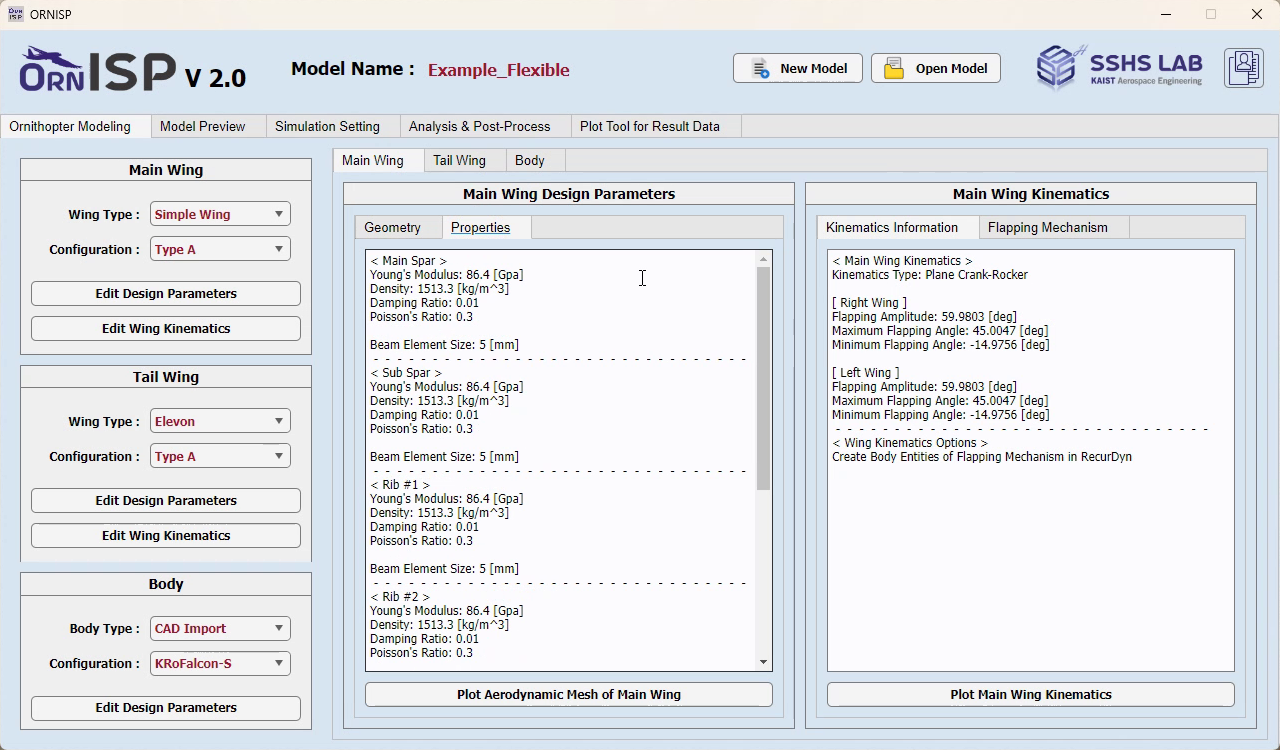
Define the main wing, tail wing, and body, then set their design parameters and wing kinematics. Geometry and motion previews help inspect the configuration before model creation.
03 Simulation Setting
Set the flapping frequency, number of cycles, time resolution, and aerodynamic model options. Review the model summary and select the wake data to retain for post-processing.
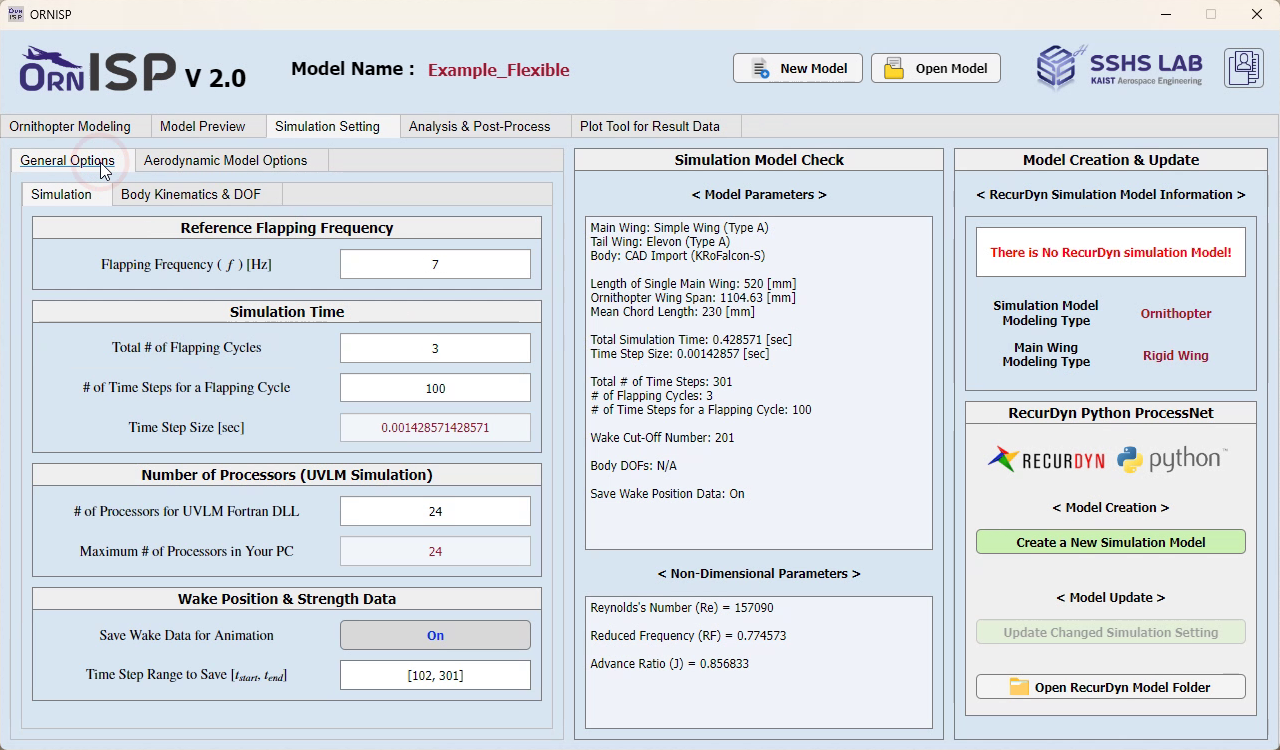
04 Automatic Model Creation
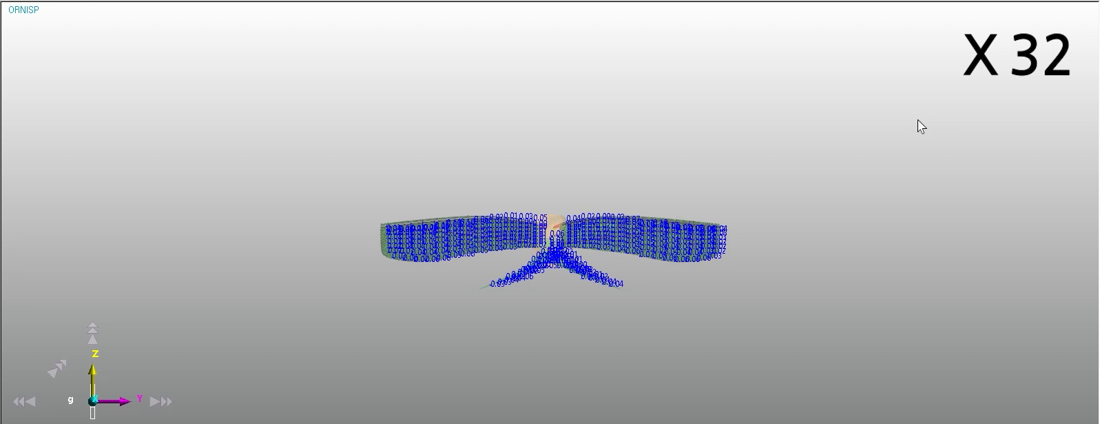
Python uses RecurDyn ProcessNet to generate the aircraft model from the configured inputs.
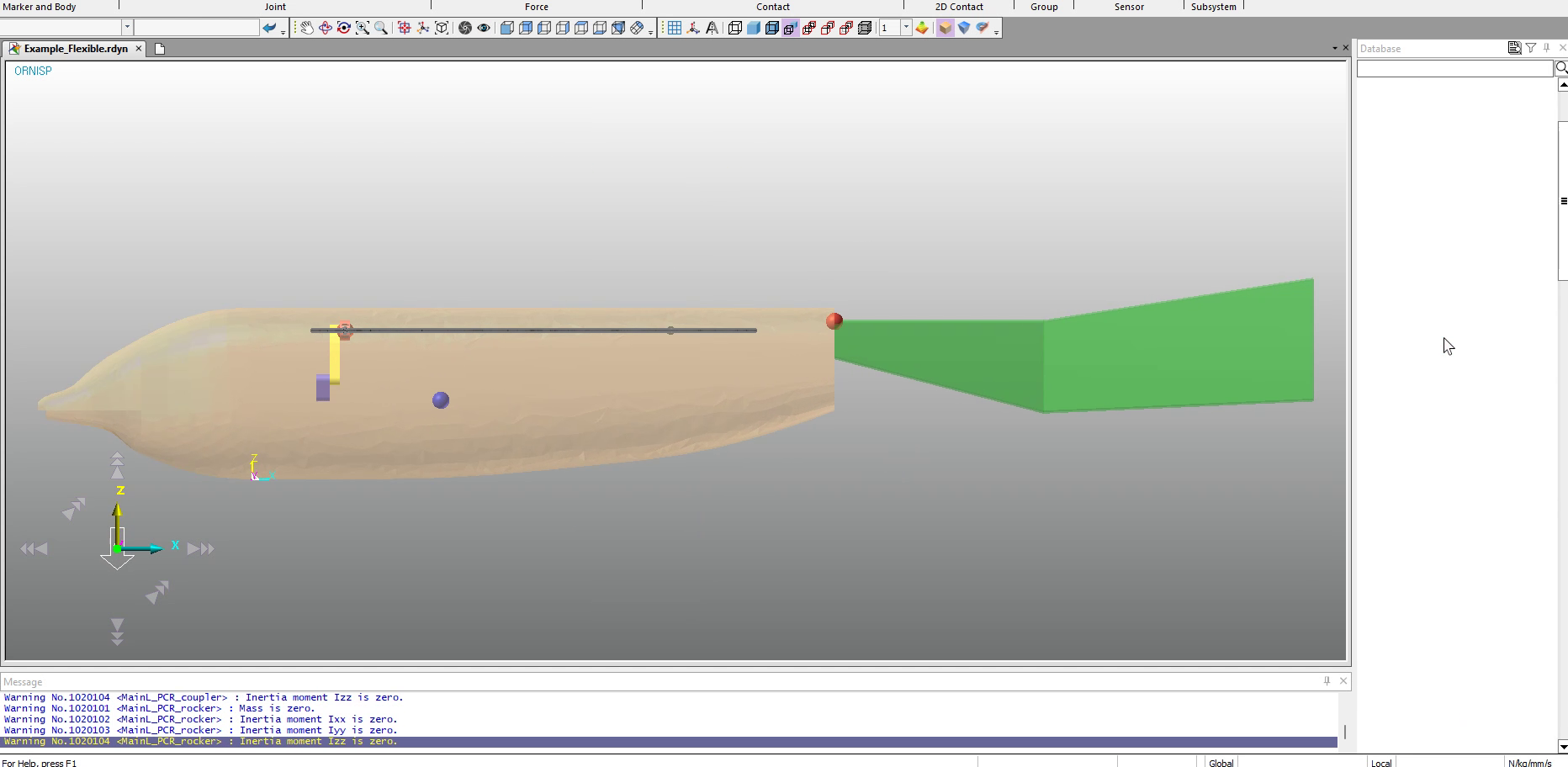
The model below is from a separate research case.
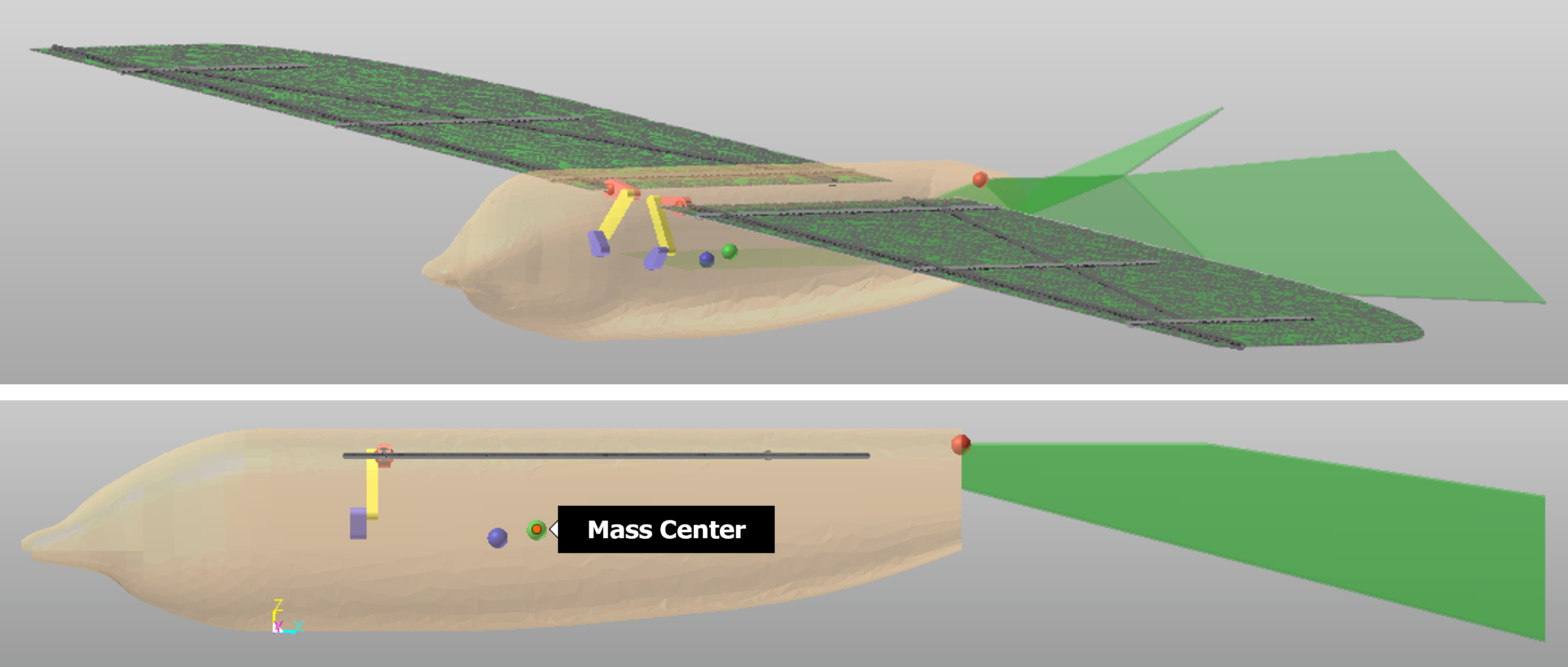
05 Aerodynamic Simulation
The modified Unsteady Vortex Lattice Method (UVLM) computes aerodynamic loads while RecurDyn solves the aircraft dynamics.
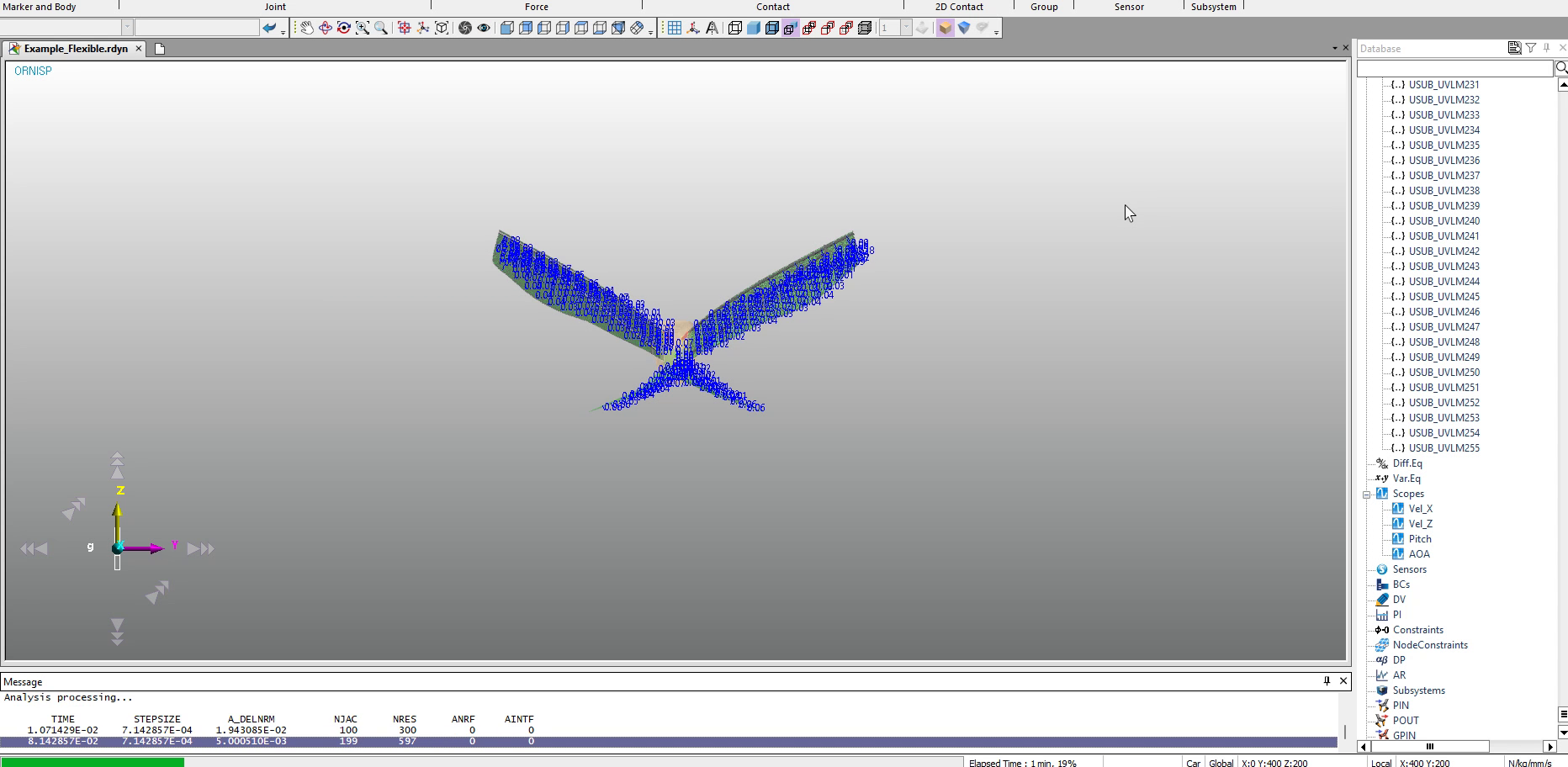
06 Post-Processing
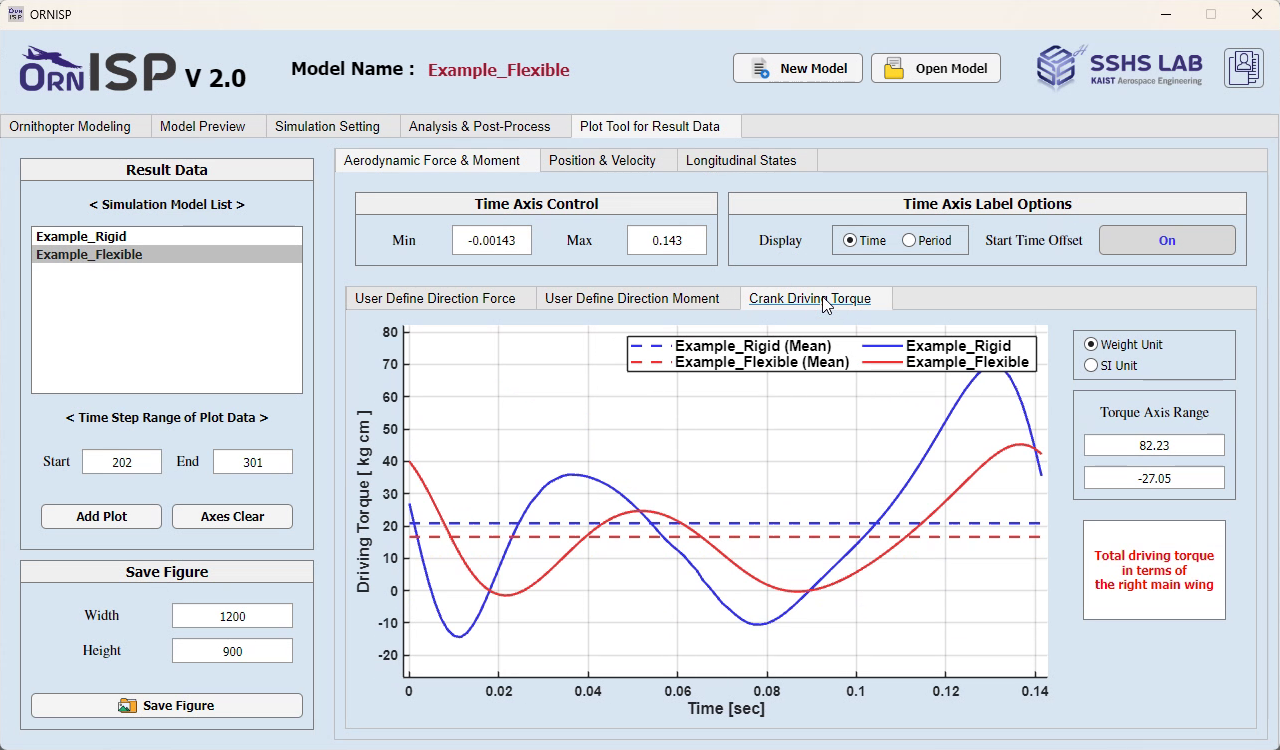
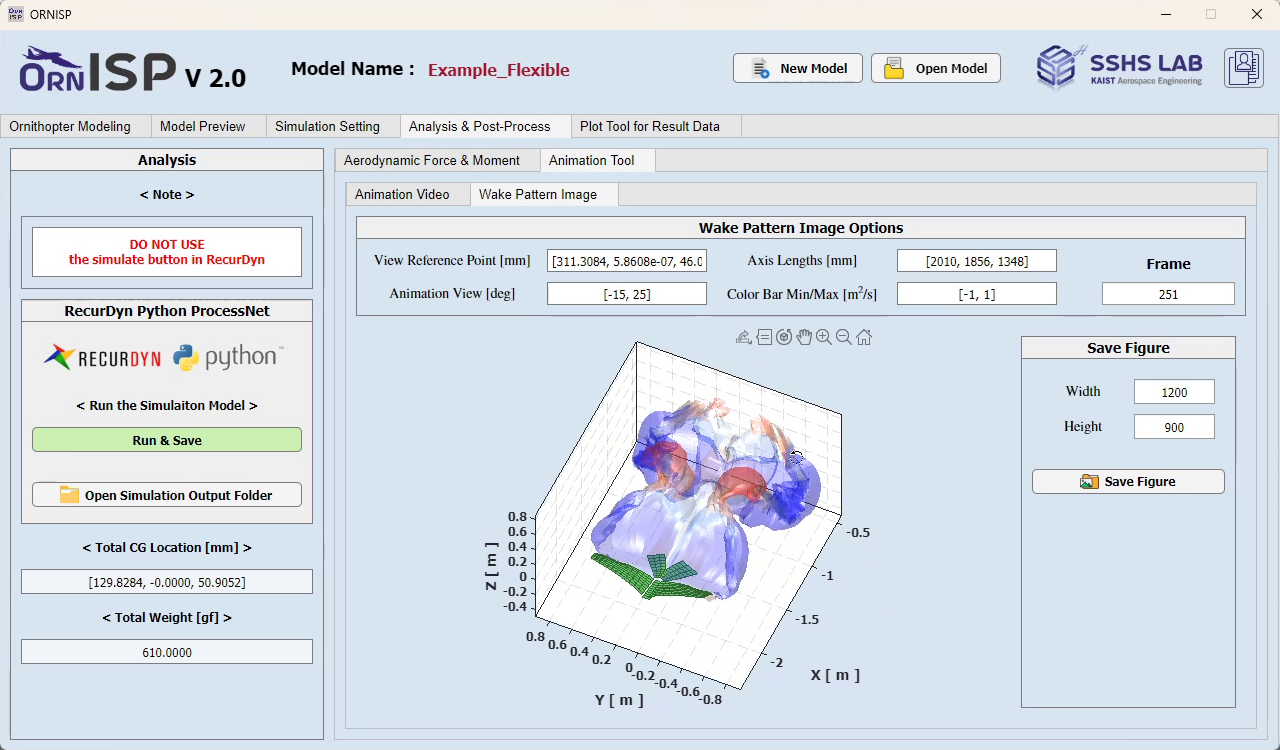
Post-processing tools display the wake, forces, moments and crank driving torque. The Plot Tool compares selected cases on the same axes.
Aerodynamic Methods
UVLM represents the wing and its wake with vortex elements. ORNISP extends this representation with the Pseudo-Leading-Edge Vortex (PLEV) method and Adaptive Wake-Shedding (AWS) scheme.
Unsteady Vortex Lattice Method
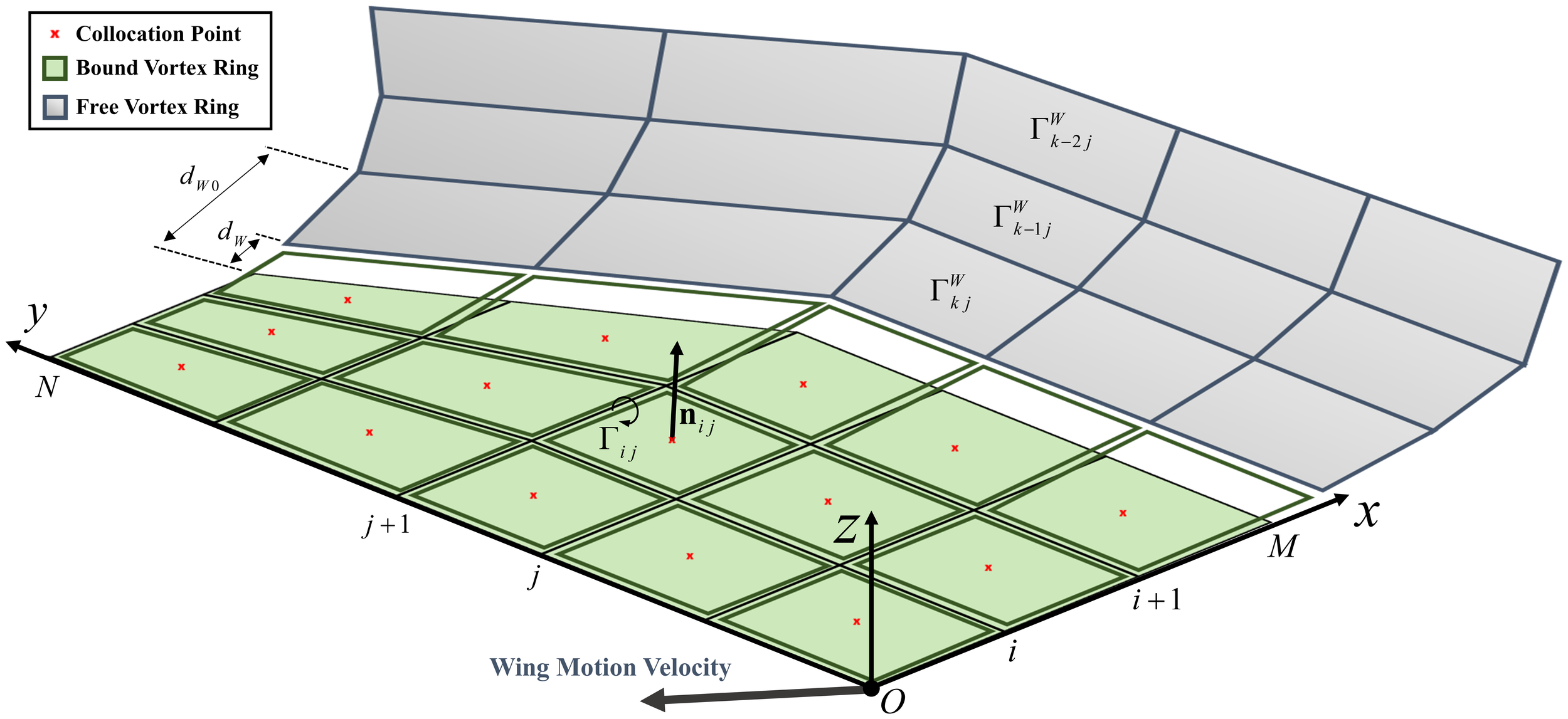
UVLM places bound vortex rings on the wing and free vortex rings in the wake. Collocation points are where the panel boundary condition is evaluated.
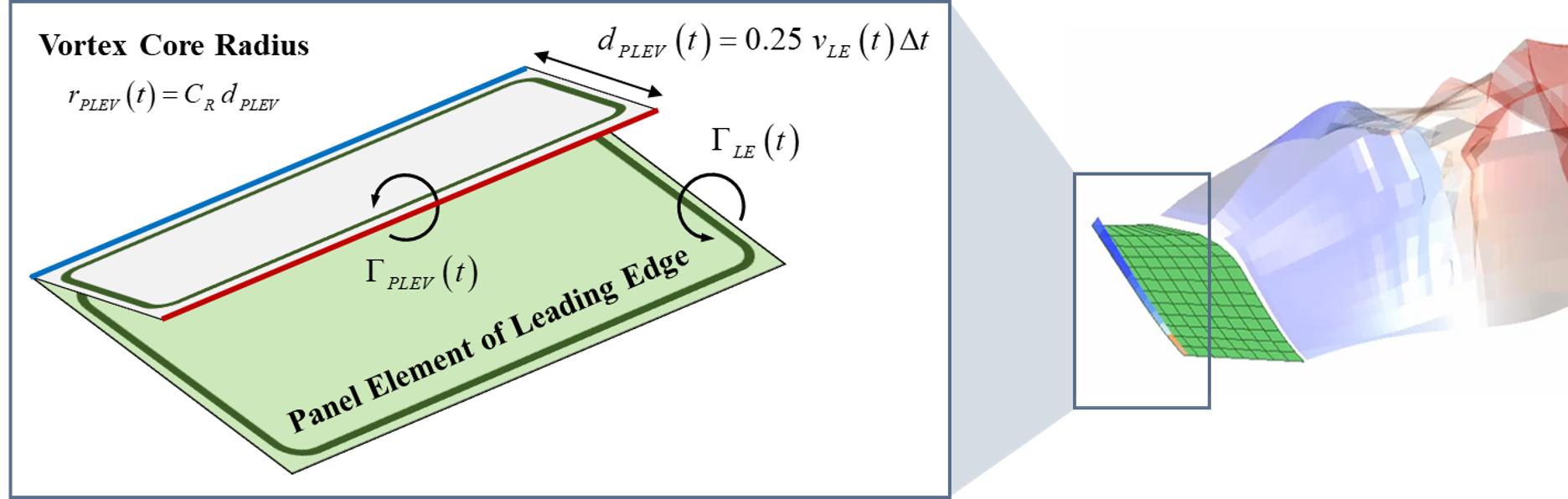
Pseudo-Leading-Edge Vortex
PLEV introduces a prescribed vortex ring near the leading edge to represent selected leading-edge vortex effects.
Adaptive Wake-Shedding
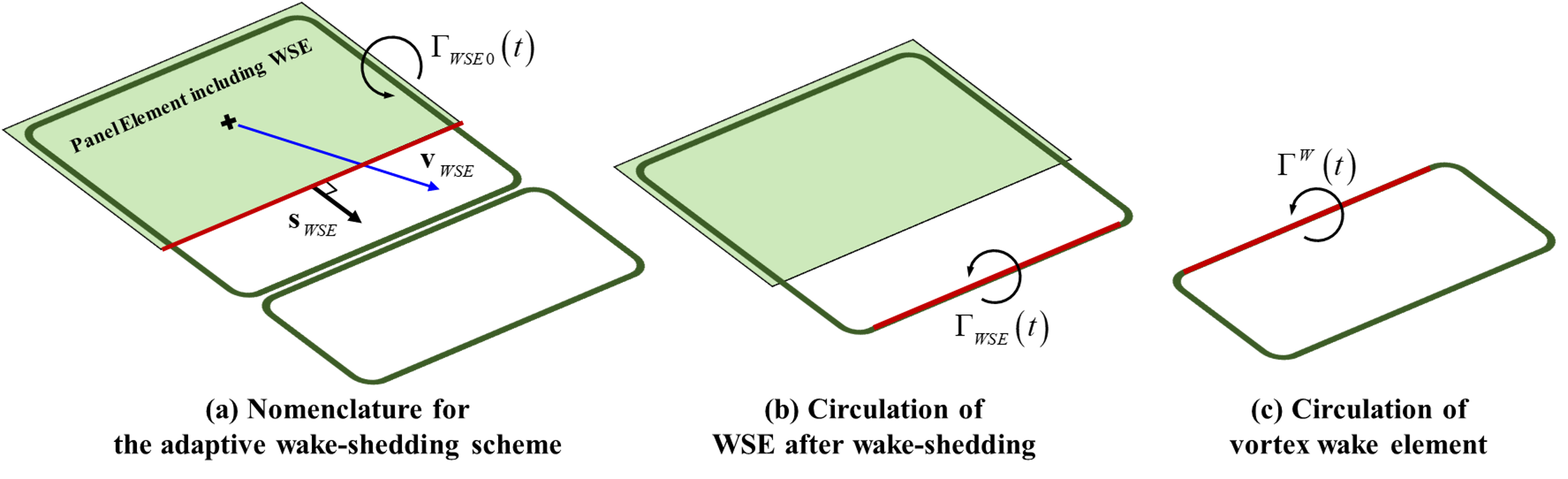
AWS partitions circulation between a residual edge ring and shed wake elements according to local flow alignment.
In the schematic, WSE means Wake Shedding Edge. The blue arrow shows the velocity induced at the panel collocation point; the dark green rings are vortex-ring elements.
Program Structure
The MATLAB interface prepares the model inputs and displays results. Python ProcessNet automates RecurDyn model generation, while the Fortran aerodynamic solver exchanges loads and motion with RecurDyn dynamics.